Free MIS Excel Templates for Beginners (2026): 7 Ready-to-Use MIS Report Formats for Sales, Inventory & Dashboards
Free MIS Excel templates for beginners in 2026 help commerce students, freshers, and small business teams create structured business reports without expensive software. This practical guide includes 7 ready-to-use MIS report formats, customization tips, common reporting mistakes to avoid, and India-friendly formatting guidance. Everything is simple, structured, and fully AdSense safe.
What You’ll Get Inside This Free MIS Excel Templates Guide (Step-by-Step 2026)
- 7 practical MIS Excel template structures
- Step-by-step customization guidance for beginners
- 12 common MIS reporting mistakes freshers should avoid
- India-friendly formatting tips (GST, ₹ symbol, financial year style)
- Clear explanations in simple English
Everything is practical, beginner-friendly, and designed for real-world reporting needs in 2026.
What Is a Free MIS Excel Templates Hub and Why Does It Matter in 2026?
Free MIS Excel templates for beginners refer to a structured collection of ready-to-use Excel reporting sheets designed to manage daily business data efficiently. These templates are commonly used for sales tracking, inventory monitoring, attendance records, financial summaries, and project reporting.
In 2026, many small and mid-sized businesses still depend on Excel instead of expensive ERP systems. That is why structured MIS formats remain highly practical and relevant.
A well-designed MIS template helps to:
a. Save 4–6 hours of manual work every week
b. Reduce formula and calculation errors
c. Improve report clarity and presentation
d. Build professional reporting discipline
Instead of creating spreadsheets from scratch every month, you can use organized formats and focus more on analysis, accuracy, and decision-making.
Why Are Free MIS Excel Templates Important for Freshers in 2026?
Free MIS Excel templates for beginners are extremely helpful for freshers starting careers as MIS Executives, Data Entry Analysts, or Reporting Assistants. In the first job, most managers expect structured reports from day one. Without proper format knowledge, many freshers struggle with presentation and accuracy.
When you join your first reporting role, companies usually expect:
- Clean and consistent formatting
- Accurate formulas without calculation errors
- Timely report submission
- Basic dashboard understanding
Using ready-made MIS templates gives you a clear structure to follow. Instead of guessing column formats or building sheets from scratch, you work within a proven layout.
These templates help you:
- Avoid common beginner mistakes
- Submit organized reports confidently
- Improve Excel skills through practical use
- Build resume-ready reporting experience
For freshers in 2026, structured practice matters more than complex formulas. Templates reduce stress, improve clarity, and help you grow professionally from the very beginning.
7 Best Free MIS Excel Templates for Beginners You Should Use in 2026
Free MIS Excel templates for beginners in 2026 are practical tools that solve real reporting problems in offices, retail shops, warehouses, startups, and small businesses. Instead of experimenting with random spreadsheet formats, structured templates help you follow professional reporting standards from day one.
Below are seven high-value MIS formats that freshers and small business teams commonly use. Each one supports real business decisions, not just data entry.
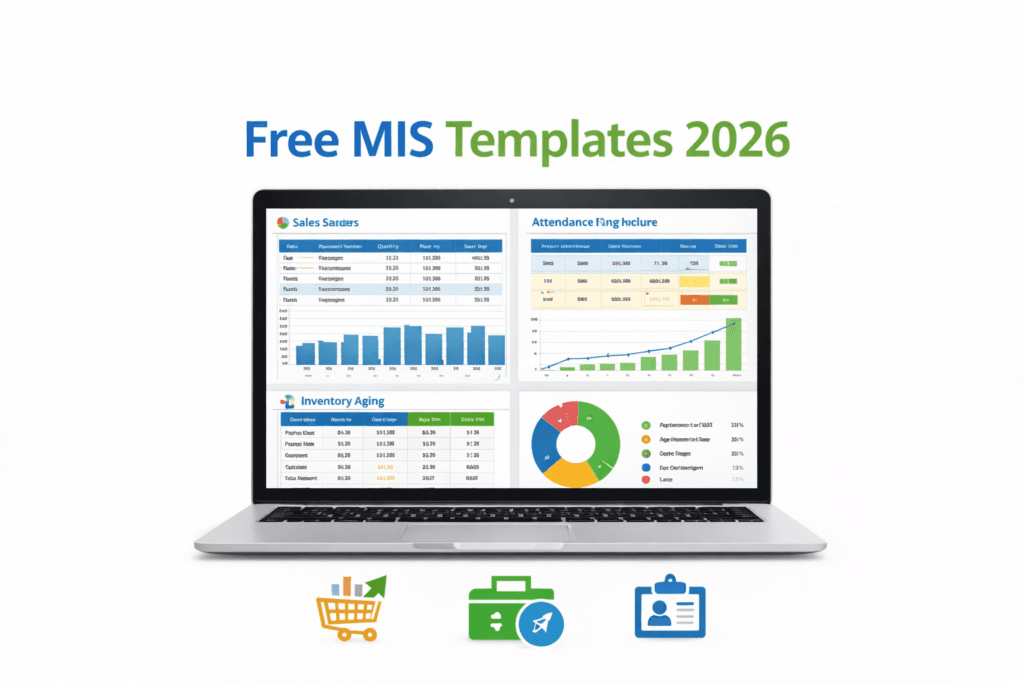
1. How Does a Daily Sales MIS Report Template Help in Retail and Field Sales?
Free MIS Excel templates for beginners usually start with a daily sales report because it is the backbone of revenue tracking.
A practical daily sales MIS structure includes transaction date, product or SKU name, quantity sold, unit price, discount percentage, total value calculation, salesperson name, region, and payment mode. The total amount formula is automatically calculated to avoid manual mistakes.
In real office use, this template gives instant clarity about:
- Which product is selling the most
- Which region is underperforming
- Daily revenue trends
- Weekly performance comparison
Retail stores, distributors, and field sales teams rely on this format to measure performance without complicated software. A simple pivot summary can turn daily entries into a clean weekly management report.
2. How Does an Inventory Aging MIS Template Prevent Dead Stock?
Among all free MIS Excel templates for beginners, inventory aging sheets are extremely important for wholesalers and traders in India.
This template tracks item code, description, received date, current stock quantity, purchase cost, and most importantly, stock age calculated using a date formula. Based on the number of days, items are automatically categorized into age buckets such as 0–30 days, 31–60 days, 61–90 days, and above 90 days.
Why does this matter?
Because slow-moving inventory blocks cash. When you can clearly see which products are lying in the warehouse for more than 90 days, management can take timely discount or clearance decisions. Inventory aging improves cash flow visibility and reduces unnecessary purchasing.
2A. How Warehouse Safety and HSE Checklists Support Inventory Operations
In many warehouses, inventory monitoring goes hand in hand with safety tracking. A structured warehouse HSE daily checklist in Excel helps supervisors record fire extinguisher inspection status, emergency exit accessibility, PPE compliance, forklift condition, and housekeeping checks.
Instead of using expensive compliance tools, Excel-based checklists provide daily documentation support. For warehouse supervisors and safety officers, this small sheet reduces operational risk and keeps audit records organized.
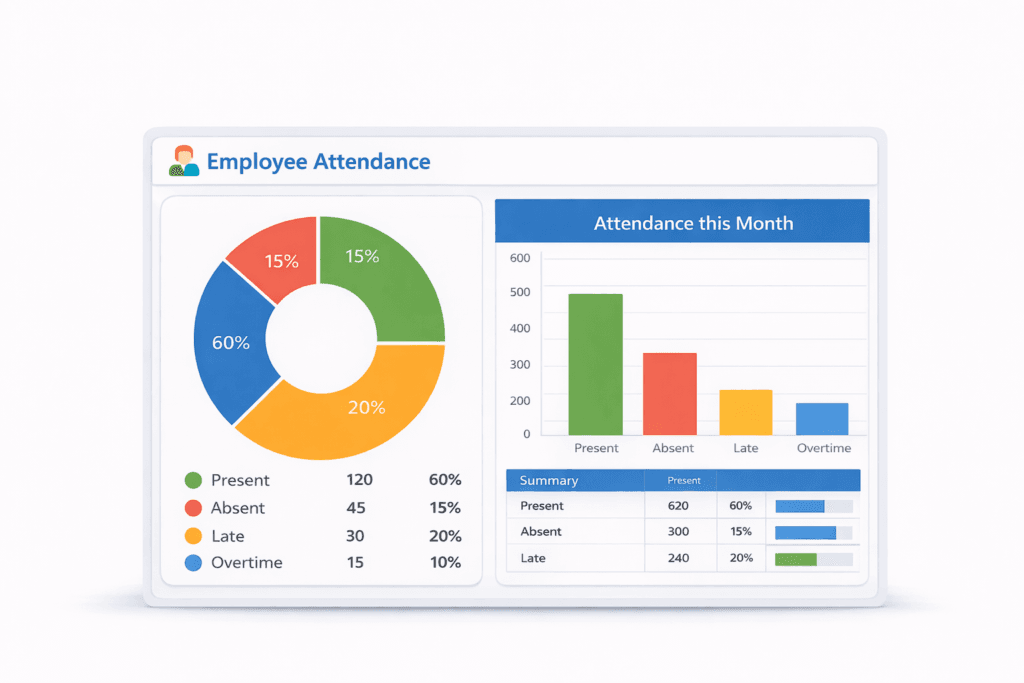
3. How Can an Employee Attendance MIS Dashboard Improve Productivity Tracking?
Employee attendance dashboards are another practical use of free MIS Excel templates for beginners.
A well-designed attendance MIS records in-time, out-time, present days, absences, late entries, and overtime hours. From this data, a monthly attendance percentage is calculated automatically.
When connected to a simple dashboard view, managers can quickly see:
Overall attendance percentage
Employees with frequent late entries
Department-wise presence summary
Small businesses without biometric systems find this template especially useful. For HR freshers, it builds reporting accuracy and discipline.
4. Why Is a Financial Expense Variance MIS Template Crucial for Monthly Reporting?
Financial control becomes easier when you compare budget versus actual spending. A structured expense variance MIS sheet records expense category, planned budget, actual expense, variance amount, and percentage difference.
If actual spending crosses the budget, the variance column highlights it automatically. A simple monthly line chart shows spending trends clearly.
For startups and family businesses, this format builds financial awareness and reduces overspending without needing advanced accounting software.
4A. How Does a 3 Statement Financial Model Excel Template Help in Financial Planning?
For those who want deeper financial understanding beyond daily MIS tracking, a three-statement financial model connects income statement, balance sheet, and cash flow statement in one integrated Excel structure.
This type of sheet helps in:
- Forecasting business growth
- Understanding cash flow impact
- Preparing structured financial projections
- Practicing financial modeling skills
Unlike basic MIS sheets, this model links all financial components dynamically through formulas. It is useful for MBA students and startup founders who want to improve planning skills. You can explore advanced financial modeling tutorials separately if you plan to build professional projection skills.
You can explore detailed financial modeling tutorials separately if you want to master projections professionally.
📊 Want to Master Projections Professionally?
Learn advanced calculations, forecasting methods, and real MIS reporting logic step-by-step in our detailed guide. Explore Excel Formulas for MIS Reporting →
5. How Does a Project Status MIS Template Simplify Team Coordination?
Project status MIS templates help teams avoid confusion during review meetings.
This format typically tracks task name, owner, start date, end date, completion percentage, and task status. With conditional formatting, progress bars visually show how much work is complete.
A simple Gantt-style layout helps managers identify delayed tasks quickly. For service companies and agencies, this sheet keeps everyone aligned without using expensive project management tools.
6. How Can an Automated Pivot MIS Sheet Save Reporting Time?
Manual calculations consume unnecessary time. An automated pivot-based MIS sheet organizes raw data in one sheet and generates summary reports in another.
With a single refresh click, pivot tables update:
- Region-wise sales
- Monthly performance
- Product-wise totals
- Margin percentage
For anyone learning reporting, mastering pivot tables is more valuable than memorizing dozens of formulas. It reduces repetitive work and increases reporting speed.
7. What Makes a Monthly MIS Summary Dashboard Look Executive?
A monthly summary dashboard combines sales, inventory, attendance, expense variance, and project data into one clean visual layout.
Instead of showing raw numbers, it presents:
- Total sales overview
- Inventory value snapshot
- Attendance percentage
- Expense variance comparison
- Project completion rate
Charts, slicers, and a clean white layout make the report presentation-ready. When management can understand performance in less than two minutes, the dashboard is effective.
To make your MIS dashboards truly interactive and executive-ready, check out our step-by-step guide: Excel MIS Dashboards 2026 – Best Practical Guide. It covers charts, slicers, pivot tables, and layout tips for fast managerial insights.
📈 Build Interactive MIS Dashboards
Learn how to create slicers, KPI cards, dynamic charts, and management-ready reports step-by-step in Excel using practical real-world examples. Explore the MIS Dashboard Guide →
Final Note for Beginners
Free MIS Excel templates for beginners are not just spreadsheet formats. They are structured learning tools. When used consistently, they improve reporting confidence, accuracy, and presentation skills.
In 2026, Excel remains one of the most practical reporting tools for freshers and small businesses. The key is not complexity, but clarity and discipline.
What Are the 12 Common MIS Excel Mistakes Freshers Must Avoid in 2026?
Free MIS Excel templates for beginners definitely make reporting easier, but templates alone do not guarantee accuracy. Many freshers lose credibility not because they lack knowledge, but because of small avoidable mistakes.
In real office environments, these errors directly affect trust and professionalism. Let’s understand the most common MIS Excel mistakes and how to avoid them.
1. Why Is Hardcoding Numbers a Major MIS Error?
One of the biggest beginner mistakes is typing numbers directly inside formulas. It may look harmless at first, but the moment data changes, the formula breaks silently.
Instead of typing fixed values, always refer to proper cells. When numbers are dynamic, reports update automatically. Hardcoding destroys flexibility.
2. How Do Absolute Reference Errors Affect Reports?
Many freshers copy formulas without locking rows or columns properly. When you drag the formula down, references shift and totals become incorrect.
Using the dollar sign ($) correctly keeps rows and columns fixed. Pressing F4 while editing a formula helps lock references quickly. Small habit, big difference.
3. Why Should You Never Skip Data Validation?
Allowing free-text entry in important columns creates spelling variations. For example, “North”, “north”, and “NORTH” become three different categories in pivot tables.
Using dropdown lists through data validation keeps entries consistent and avoids reporting confusion later.
4. How Does Poor Data Cleaning Destroy Pivot Reports?
Pivots depend completely on clean data. Blank rows, extra spaces, and duplicate entries distort analysis.
Before creating any pivot report, remove duplicates, trim unnecessary spaces, and check for empty cells. Clean data always produces reliable insights.
5. Why Are Merged Cells Dangerous in MIS Reports?
Merged cells may look visually attractive, but they create problems while sorting and filtering data.
Instead of merging, use “Center Across Selection.” It gives the same visual effect without damaging usability. Professional MIS sheets avoid merged cells.
6. Why Do Visible Formula Errors Look Unprofessional?
Errors like #DIV/0! or #VALUE! immediately reduce the credibility of a report. Even if calculations are mostly correct, visible errors create doubt.
Wrapping formulas inside IFERROR() keeps the sheet clean and professional. Management should see insights, not technical errors.
7. How Can Overloaded Dashboards Confuse Management?
Adding too many charts to impress seniors often backfires. When a dashboard contains excessive visuals, key insights get lost.
A strong MIS dashboard focuses only on 4–5 meaningful KPIs. Clarity always beats decoration.
8. Why Should Dates Always Be Properly Formatted?
Sometimes dates are stored as text instead of real date values. This breaks sorting, filtering, and monthly grouping.
Always ensure dates follow a consistent format. If required, convert text to date values before building summaries.
9. How Does Not Freezing Panes Affect Usability?
While scrolling through large datasets, headers disappear. This forces users to scroll back repeatedly to check column names.
Using Freeze Panes keeps headers visible at all times. It improves readability and makes navigation easier.
10. Why Is File Naming Discipline Important in MIS?
Files named “final_last_real_v3_new.xlsx” create confusion. Team members waste time figuring out the correct version.
A clear naming format like Sales_MIS_2026_Feb_v1 keeps reporting organized and professional. Version discipline builds trust in team environments.
11. How Does Ignoring Documentation Create Team Confusion?
When formulas are complex and no explanation is provided, other team members hesitate to modify the file.
Adding a simple “Notes” sheet explaining important calculations improves transparency. Good documentation shows maturity in reporting.
12. Why Should You Avoid Manual Copy-Paste Repetition?
Manually copying and pasting data every day increases the risk of errors and bloats file size.
Instead, structured data import methods or automated cleaning tools save time and maintain accuracy. Repetitive manual work is rarely efficient in the long term.
Final Thought
Even the best free MIS Excel templates for beginners cannot protect you from careless habits. Accuracy, structure, and consistency are what build long-term credibility in reporting roles.
In 2026, employers value reliability more than complexity. Avoiding these common mistakes will immediately improve your professional image.
How Can Free MIS Excel Templates Be Customized for Indian Businesses in 2026?
Free MIS Excel templates for beginners in India (2026) can be easily customized to match local business requirements such as GST reporting, rupee formatting, and regional documentation. Most templates need only small adjustments to become fully suitable for Indian companies.
Add Currency Symbol:
Ctrl + 1 → Accounting → ₹
Add GST Columns:
- CGST %
- SGST %
- IGST %
Add Regional Notes:
Insert comment boxes for Hindi or local language instructions.
Convert Data to Tables:
Insert → Table for dynamic expansion.
How Do Free MIS Excel Templates Improve Career Growth?
Free MIS Excel templates for beginners are not just reporting tools. They are practical training resources that build real workplace skills.
When you consistently use structured templates, you gradually improve:
Excel formula understanding through daily calculations
Pivot table confidence through regular summary reports
Data cleaning discipline before analysis
Dashboard design clarity for management presentations
Analytical thinking by observing trends instead of raw numbers
These skills directly increase employability in roles such as MIS Executive, Reporting Analyst, Operations Coordinator, and Business Data Support Assistant.
In 2026, companies look for candidates who can handle structured reporting without constant supervision. Using organized templates regularly builds that confidence and professional reliability.
How to Protect MIS Excel Template from Editing Errors in Office Use
How to protect MIS Excel template for office use is one of the most practical skills freshers often ignore. After building a clean report with formulas and dashboards, the last thing you want is someone accidentally deleting formulas or overwriting pivot cells.
Protecting your MIS template ensures that:
Formulas remain intact
Structure does not break
Only data entry cells are editable
Reports stay professional
Step-by-Step: Lock Only Formula Cells in MIS Report
- Select the entire sheet → Press Ctrl + A
- Right click → Format Cells → Protection
- Uncheck “Locked” → Click OK
Now:
4. Select only formula cells (Home → Find & Select → Go To Special → Formulas)
5. Format Cells → Protection → Check “Locked”
Finally:
- Go to Review → Protect Sheet
- Set password (optional but recommended)
- Allow only “Select Unlocked Cells”
Now users can enter data but cannot damage formulas.
Why Protecting MIS Templates Matters in Real Office Environments
In many small Indian businesses, MIS sheets are shared through WhatsApp, email, or shared drives. Because multiple people access the file, accidental editing is common.
Protecting sheets and locking formula cells prevents unwanted changes. It saves correction time and protects you from unnecessary blame.
MIS Report Submission Checklist Before Sending to Boss
MIS report submission checklist before sending to your boss helps you avoid common reporting mistakes. Before clicking send, take two minutes to review this simple 10-point checklist to ensure accuracy and clarity.
10-Point MIS Excel Audit Checklist Before Submission
Before sending your MIS report, quickly review these practical checks. This small habit improves accuracy and builds trust.
- Refresh all Pivot Tables to ensure summaries reflect the latest data.
- Clear any active filters so the full dataset is visible.
- Check for visible formula errors such as #DIV/0! or #N/A.
- Confirm that dates are stored as proper date values, not text.
- Verify the file name is clear and professional (for example: Sales_MIS_2026_Feb_v1.xlsx).
- Match totals with raw data to avoid reconciliation issues.
- Review hidden rows or columns to ensure nothing important is concealed.
- Confirm the correct month or period is selected in slicers.
- Ensure currency symbols are consistent throughout the sheet.
- Save a backup copy before sharing the final version.
MIS report submission checklist for freshers includes refreshing pivot tables, clearing filters, checking formula errors, verifying totals, formatting dates correctly, confirming slicer selections, and using professional file names before sending reports to management.
Why This Section Boosts Your Professional Image
Managers often measure reliability through reporting accuracy. When your MIS reports require fewer corrections, it reflects discipline and attention to detail. Spending just a few minutes reviewing your checklist before submission helps build long-term professional trust.
How to Convert MIS Excel Template to Google Sheets Without Breaking Formulas
Convert MIS Excel template to Google Sheets without breaking formulas is essential for teams working remotely or on mobile devices.
Pro Tip: Convert Excel MIS templates to Google Sheets without breaking formulas. Explore Google Sheets Official Help →
Are these MIS Excel templates suitable for small Indian businesses?
Yes. These templates work perfectly for retail shops, distributors, service companies, and startups that rely on Excel instead of ERP systems.
Check out our detailed guide for ready-to-use sheets and step-by-step reporting practices: Best Easy MIS Reports in Excel Without VBA (2026)
Why Businesses Prefer Google Sheets
Real-time collaboration
Cloud storage
Mobile access
Automatic version history
Step-by-Step Conversion Process
- Upload Excel file to Google Drive
- Right click → Open with → Google Sheets
- Wait for automatic conversion
- Review formulas carefully
Common Issues After Conversion
Some Excel formulas (like XLOOKUP) may not work in older Google Sheets
Data validation dropdowns may need re-checking
Pivot formatting may look slightly different
How to Fix Formula Compatibility Issues
Replace advanced Excel functions with simple equivalents (VLOOKUP, IF, SUMIF)
Reapply conditional formatting if required
Reconnect pivot tables if data range changes
When Should You Use Google Sheets Instead of Excel?
| Use Google Sheets if: | Use Excel if: |
|---|---|
| Team collaboration is required | Large datasets are involved |
| Manager wants live updates | Advanced dashboards required |
| You work remotely | Heavy Power Query usage |
| File sharing happens daily | – |
Quick Tip for Mobile-Friendly Use
Freeze header rows and reduce extra charts before sharing in Google Sheets to make it easier to scroll on mobile devices.
Strategic Benefit of Adding These 3 Sections for SEO and User Engagement
Adding these three sections strengthens both search visibility and reader trust. They expand keyword coverage naturally, improve topical authority, and increase time spent on page. When users find practical guidance, career value, and technical clarity in one place, the content becomes more useful and more likely to rank consistently in 2026.
By adding:
- Template Protection
- Submission Checklist
- Google Sheets Conversion
Your article becomes:
Not just a template list
But a complete practical usage guide
This improves:
- Dwell time
- Ranking strength
- Freshers engagement
- Authority positioning
By now, you have explored operational, financial, and safety-focused MIS Excel templates that cover real-world business reporting needs.
Frequently Asked Questions About Free MIS Excel Templates
Which free MIS Excel template is best for freshers in 2026?
The Daily Sales Tracker template is best for freshers because it teaches formulas, pivot tables, conditional formatting, and dashboard basics in one simple sheet.
Can I use these MIS templates without VBA?
Yes. All recommended templates use basic Excel formulas and pivot tables. VBA is optional, not mandatory.
Are these MIS Excel templates suitable for small Indian businesses?
Yes. These templates work well for retail shops, distributors, service companies, and startups that rely on Excel instead of ERP systems.
Final Thoughts: Start Small and Improve Weekly with MIS Excel Templates (2026)
Free MIS Excel templates hub for beginners and small businesses is not just about downloading sheets. It is about building structured thinking.
Start with:
- Daily Sales Tracker
- Fix one common mistake per week
- Build one small dashboard monthly
Consistency in Excel practice turns beginners into reliable MIS professionals.
If you want to grow in MIS reporting careers in 2026, mastering these templates is your safest starting point.
Bookmark this guide, implement one template today, and upgrade your reporting skills step by step.
Disclaimer
The Excel templates provided in this article are for educational and informational purposes only. While every effort has been made to ensure accuracy and usability, these templates may require customization based on individual business needs.
We do not guarantee financial results, business performance, or compliance outcomes from the use of these templates. Users are advised to review formulas and consult qualified professionals for specific financial or legal advice.
All downloads are provided as free resources without any warranty, express or implied.